 Murmur
Murmur vs Typeless: Offline Voice Typing Without a Subscription
Typeless is one of the best-known AI voice keyboards: press a key, speak, and polished text appears in whatever app you are using. Murmur does the same basic job on Windows. The two make very different choices about where your voice goes and how you pay for it, and those choices matter more than any feature checklist.
This comparison tries to be fair. Typeless does things Murmur does not, and for some people it is the right tool. For others, the subscription and the cloud are dealbreakers.
The short version
| Murmur | Typeless | |
|---|---|---|
| How you pay | One-time purchase in the Microsoft Store. No subscription, no renewal. | Recurring Pro subscription, billed monthly or yearly, with a capped weekly word allowance below that. |
| Where your voice goes | Nowhere. Recognition runs on your PC, and the app never goes online except to download the speech model once. | Uploaded to Typeless's cloud servers, and per its privacy policy may be sent to third-party AI providers. |
| Works offline | Yes, after the one-time model download. | No. Dictation needs an internet connection. |
| Account | None. | Required. |
| Output | Accurate transcript of what you said, with punctuation. | AI-rewritten text: filler words removed, self-corrections cleaned up, tone adjusted. |
| Platforms | Windows. | Windows, macOS, iOS, Android and more. |
Pricing: a subscription you keep paying, or an app you own
Typeless is a subscription product. At the time of writing, third-party reviews list Typeless Pro at around $30 per month, or about $144 per year on the annual plan, with no lifetime or one-time option. There is a limited weekly word allowance for light use, but anyone who dictates daily will run into it quickly. Check the Typeless pricing page for current figures, since subscription prices change.
Murmur is a one-time purchase from the Microsoft Store. You pay once and the app is yours. There is no renewal date, no word quota, no plan to upgrade, and nothing stops working if you skip a month. Because recognition runs on your own computer, there is no per-minute server cost that would need to be recovered through a subscription in the first place.
Over a year or two of daily use, the difference adds up. More importantly, a tool you depend on for every email does not quietly stop working when a card expires.
Privacy: your recordings never leave your PC
This is the biggest difference between the two, and the easiest to miss in marketing copy.
Typeless uploads your recordings. Its own privacy policy says your voice audio, along with limited contextual information, is "processed in real time on our cloud servers", and that it "may send your audio and relevant text to third-party cloud AI providers", naming Microsoft and Google. Typeless states that it operates a zero data retention policy and that this data is not used for training.
The problem is that you have no way to check any of it. Once your voice is on someone else's servers, "not stored" and "not used for training" are claims you cannot audit. You cannot see their logs, their backups, their subcontractors' systems or the next version of their policy. A breach, a misconfigured bucket, a legal request or a quiet change in terms all happen on hardware you will never see. Every sentence you dictate, including the ones you delete a second later, has already left your computer and passed through more than one company before any promise applies.
Murmur never uploads your voice, because it never needs to. Apart from downloading the speech model once, Murmur does not connect to the internet at all. No audio upload, no text upload, no analytics, no telemetry, no account. Speech recognition runs entirely on your PC; audio is held in memory only while it is being transcribed, then discarded, and is never written to disk. There is no retention policy to trust, because nothing ever reaches anyone to retain.
Verify it yourself: turn off Wi-Fi and dictate. Murmur keeps working, because nothing needs the network. A cloud dictation tool stops.
If you dictate client notes, medical details, HR matters, legal drafts or anything covered by an NDA, this is usually the deciding factor. We go deeper in why offline speech-to-text matters for your privacy.
Where Typeless is stronger
- AI rewriting. Typeless removes "um" and "uh", keeps only the final version when you correct yourself mid-sentence, formats spoken lists, and can adjust tone per app. That requires large language models running in the cloud, and it is genuinely useful if you want polished prose straight from rambling speech.
- Voice editing and translation. It can rewrite selected text by voice and translate as you speak.
- More platforms. Typeless runs on Mac and mobile as well as Windows, with history synced between them.
If those features are central to how you work and you are comfortable with cloud processing and an ongoing subscription, Typeless is a strong product.
Where Murmur is stronger
- Privacy you do not have to take on trust: recognition on your own PC, no voice upload, no telemetry, no account. The model download is the only network connection it ever makes.
- Offline: works on a plane, on a train, or behind a strict corporate firewall.
- Own it outright: one purchase, no subscription, no word limits.
- Your words, not a paraphrase: you get what you said, with punctuation, instead of a rewritten version you need to double-check.
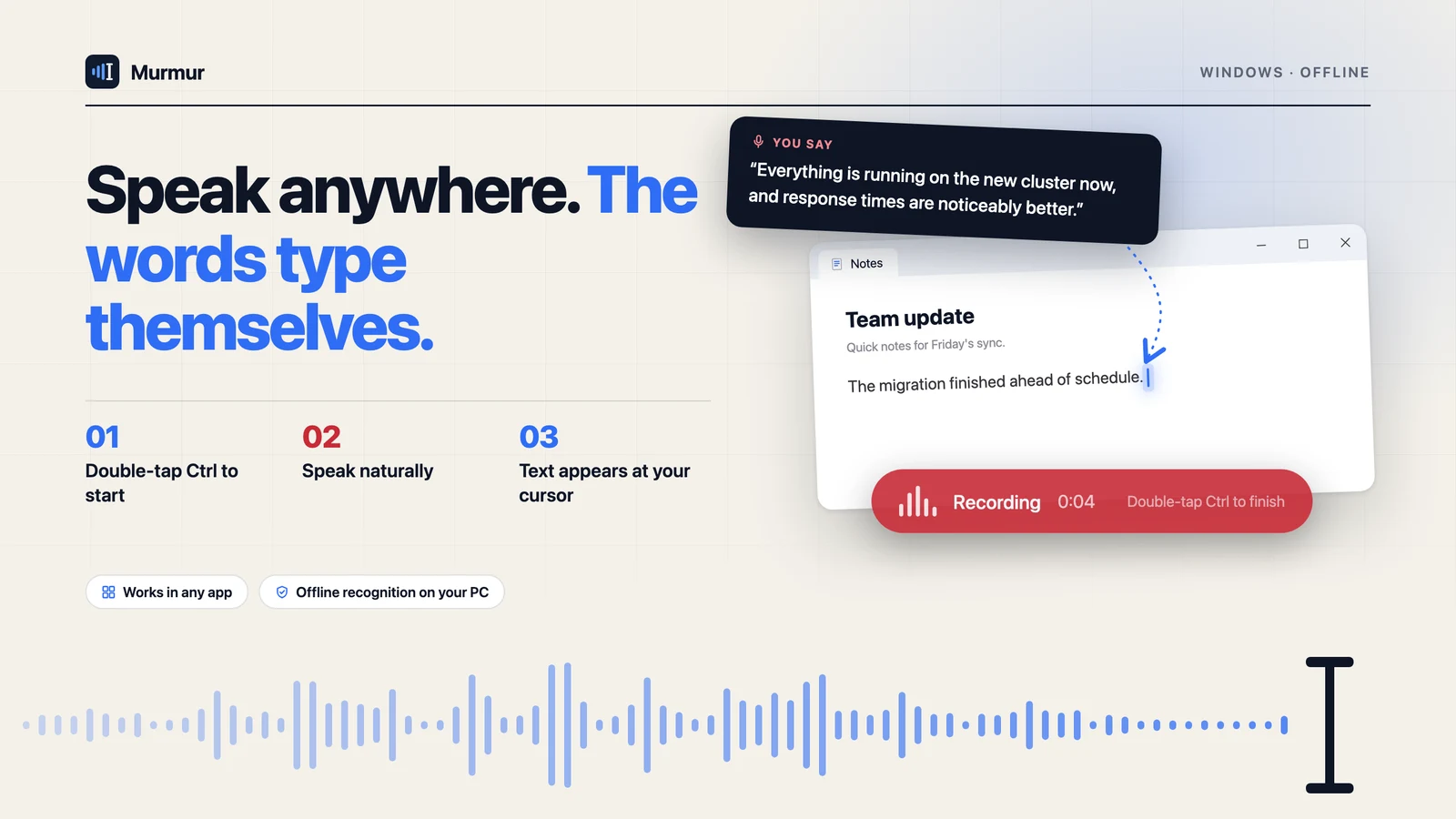
- Never steals focus: the recording capsule never takes the cursor away from your app, so text lands exactly where you were typing.
- A gesture that does not clash: a bare double-tap of Ctrl, so none of your existing shortcuts are taken.
Which one should you choose?
Choose Typeless if you want AI to rewrite and polish your speech, you need dictation on your phone and Mac too, and a monthly subscription and cloud processing are acceptable to you.
Choose Murmur if you work on Windows, you want your recordings to stay on your own computer, you sometimes work offline, or you would rather pay once than subscribe to yet another service.
Many people find that what they actually wanted from an AI voice keyboard was simply this: speak, and have accurate text appear where the cursor is, without sending their voice to anyone. That is the whole of what Murmur does.
New to dictation? Start with our step-by-step Windows dictation tutorial.
Murmur types what you say into any Windows app, and your voice never leaves your PC.
Get Murmur from the Microsoft Store