 Murmur
Why Offline Speech-to-Text Matters for Your Privacy
When you type, your words stay on your computer until you decide to send them. When you dictate with a cloud service, every sentence leaves your computer the moment you say it, including the ones you delete a second later. That is the single biggest difference between online and offline speech-to-text, and it is easy to overlook.
What actually happens in cloud dictation
Most popular voice typing tools work the same way. Your microphone audio is recorded, sent over the internet to the provider's servers, transcribed there, and the text is sent back. Many newer AI dictation apps go further: they send the audio to their own servers and then on to large language model providers to clean up or rewrite the text. Some also send "context", such as the name of the app you are typing in, so the result can be adjusted for tone.
Providers publish policies promising they do not keep your audio or train on it. But a policy is a promise, not a property of the software, and it is a promise you have no way to verify. Once the audio is on their servers, you cannot see what is logged, backed up or passed on. Even under the best policy:
- Your recording still travels across the network and is decoded on hardware you do not control.
- It may pass through more than one company, each with its own policy and its own security posture.
- Policies change. The terms you agreed to last year are not necessarily the terms that apply today.
- You usually need an account, which links every dictation to your identity.
Dictation captures more than you think
People dictate the things they would never post publicly: replies to a doctor, notes about a client, a performance review, a message to a partner, a first draft of a contract clause. Speaking is also less filtered than typing. You think out loud, correct yourself, mention names. A cloud service receives all of that, not just the final text you keep.
For some people this is not a matter of preference but of obligation. Lawyers, therapists, clinicians, HR staff, journalists protecting sources and anyone working under a non-disclosure agreement may simply not be allowed to send that material to a third party, however good its policy is.
What "offline" should mean
"On-device" and "private" are used loosely in marketing. Sometimes they only mean your history is stored locally while the transcription itself still happens in the cloud. A simple test cuts through it:
Turn off your Wi-Fi and try to dictate. If it still works, recognition is happening on your computer. If it stops, your voice was being sent somewhere.
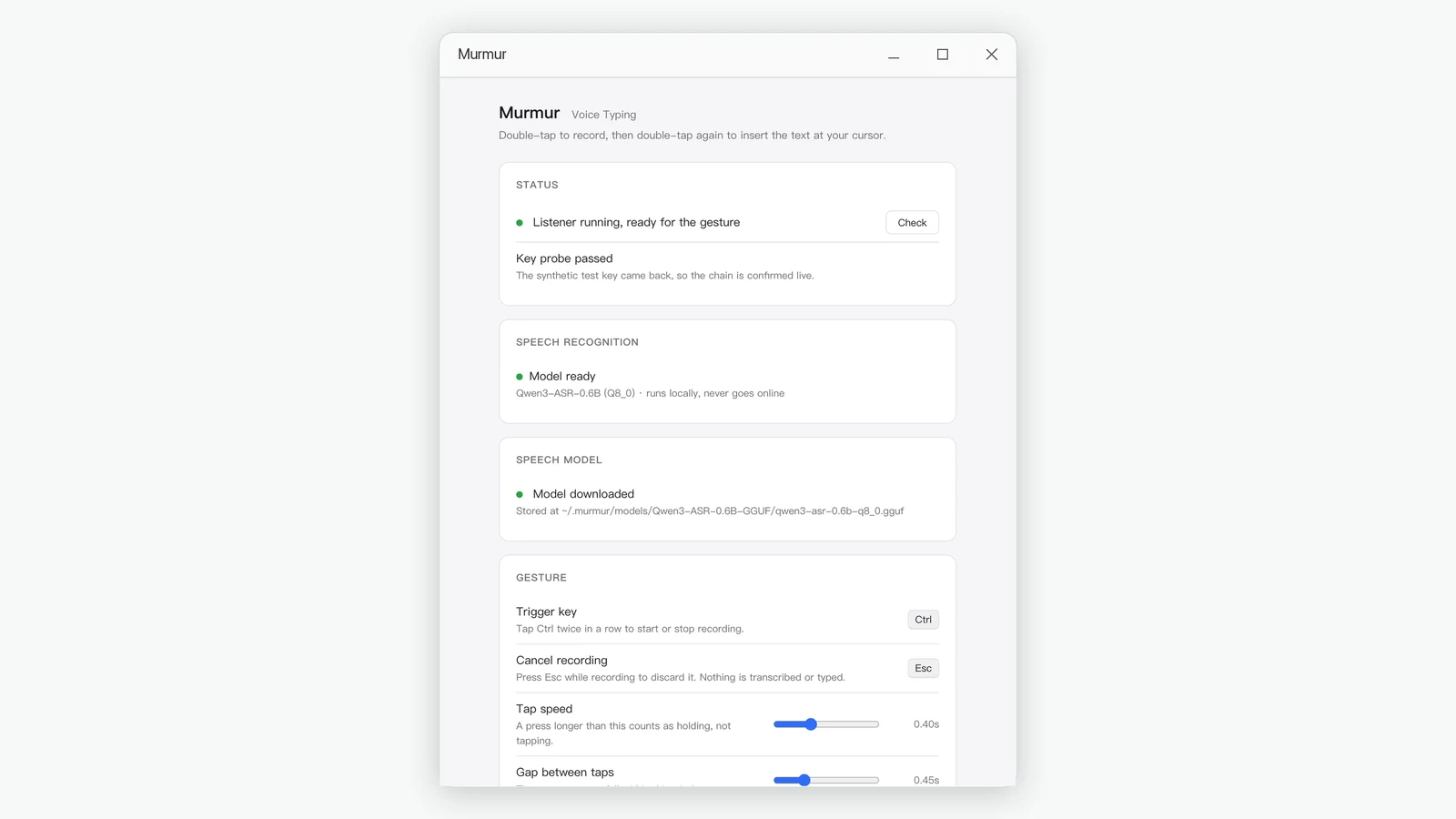
Real offline speech-to-text means the recognition model lives on your disk, runs on your processor, and needs no account. The only network activity is the initial download of the model.
The trade-offs, honestly
Local recognition is not without compromises, and it is worth knowing them:
- A one-time download. The speech model is large, around a gigabyte, so the first setup takes a few minutes.
- Your computer does the work. Recognition uses your processor while it runs. On a modern PC a few seconds of speech is transcribed in well under a second, so in practice you do not notice.
- No AI rewriting. Cloud tools that rewrite your sentences rely on large models running on servers. Local dictation gives you an accurate transcript of what you said, with punctuation, rather than a reworded version.
For most everyday writing, that last point is a feature. You get your own words, not a paraphrase you have to check.
How Murmur handles your voice
- Speech recognition runs entirely on your PC. The only time Murmur goes online is the one-time speech model download. After that it never connects to the internet.
- No telemetry, no analytics, no crash reports, no usage tracking.
- Audio is held in memory only while it is being transcribed, then discarded. Recordings are never saved to disk or sent anywhere.
- There is no account, no sign-in and no analytics on what you dictate.
- It only records between your two double-taps. There is no always-on listening, and Esc discards a recording instantly.
You can read the details in our privacy policy, and verify the most important claim yourself with the Wi-Fi test above.
Who should choose offline dictation
- Anyone handling confidential client, patient or employee information.
- People who work on trains, planes or unreliable connections.
- Organizations with rules about which cloud services staff may use.
- Anyone who would simply rather their voice did not leave the room.
If you are weighing a specific cloud tool against a local one, our Murmur vs Typeless comparison walks through the differences side by side.
Murmur types what you say into any Windows app, and your voice never leaves your PC.
Get Murmur from the Microsoft Store